
01
Write, comment, and review in one view.
The ribbon, page, comments, and revisions stay in one editor; collaborators see remote cursors on the page.
View DocumentEditor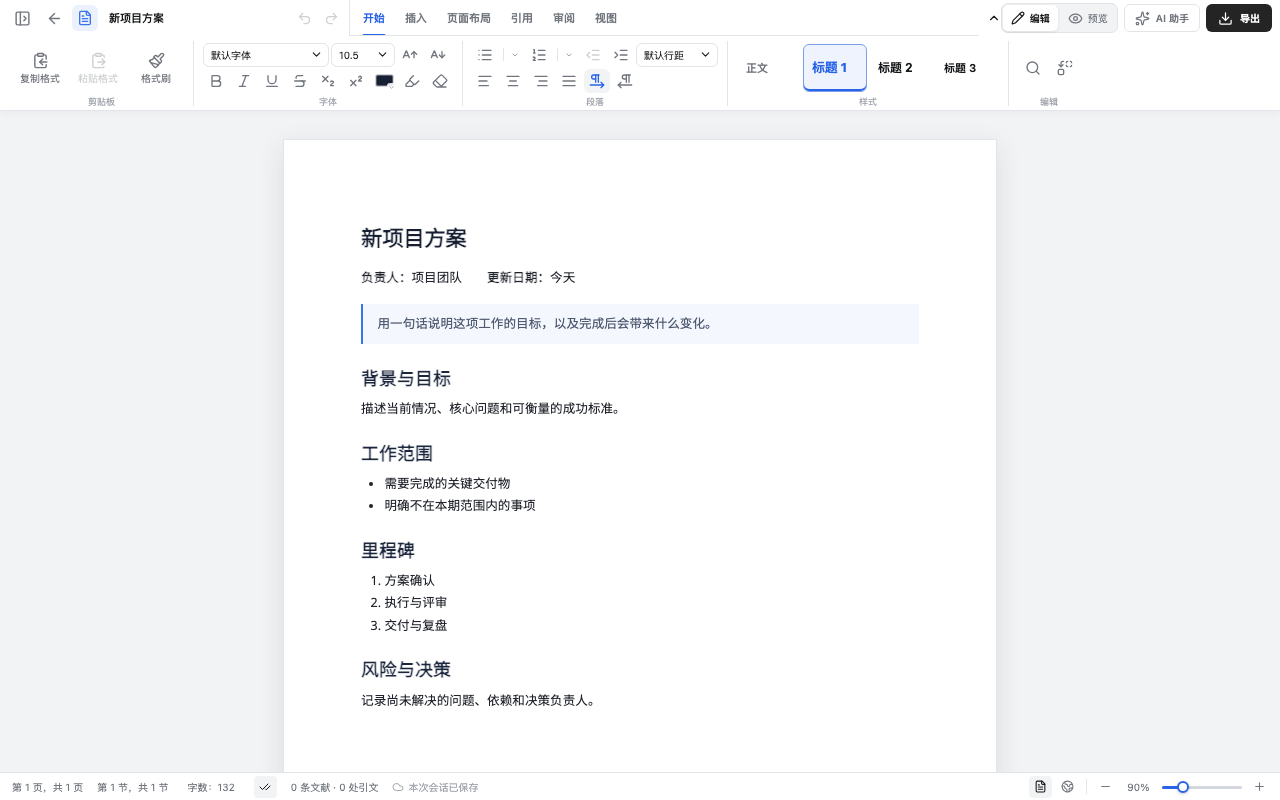
Five editors, one host boundary: open, edit, and save documents, Markdown, spreadsheets, presentations, and PDFs in your app. You keep files, permissions, and storage; add collaboration when you need it.
These captures come from the editors themselves. Each section shows one common action; open the Playground for the full interface.
The ribbon, page, comments, and revisions stay in one editor; collaborators see remote cursors on the page.
View DocumentEditorMove between source, split view, and preview without losing the content or caret position.
View MarkdownEditor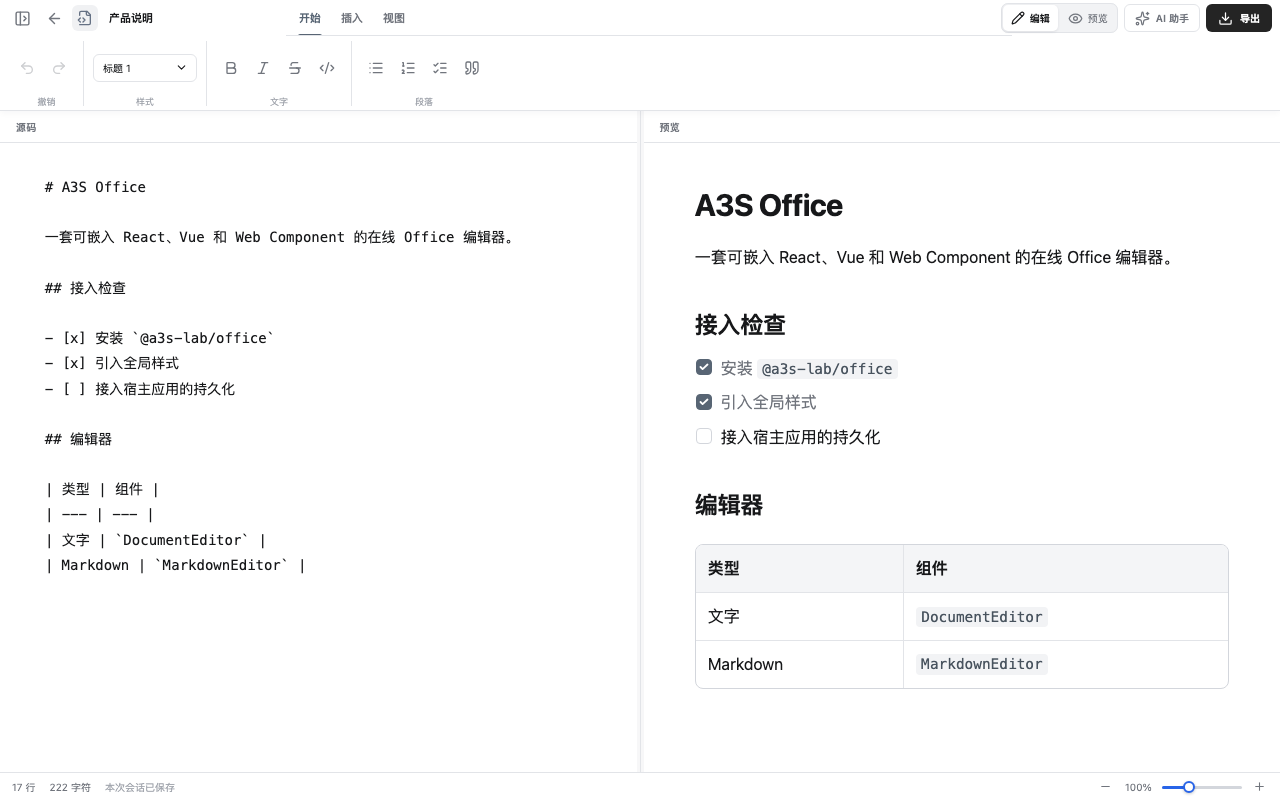
The formula bar, table styles, and data validation follow the active cell; empty areas are drawn on demand.
View SpreadsheetEditor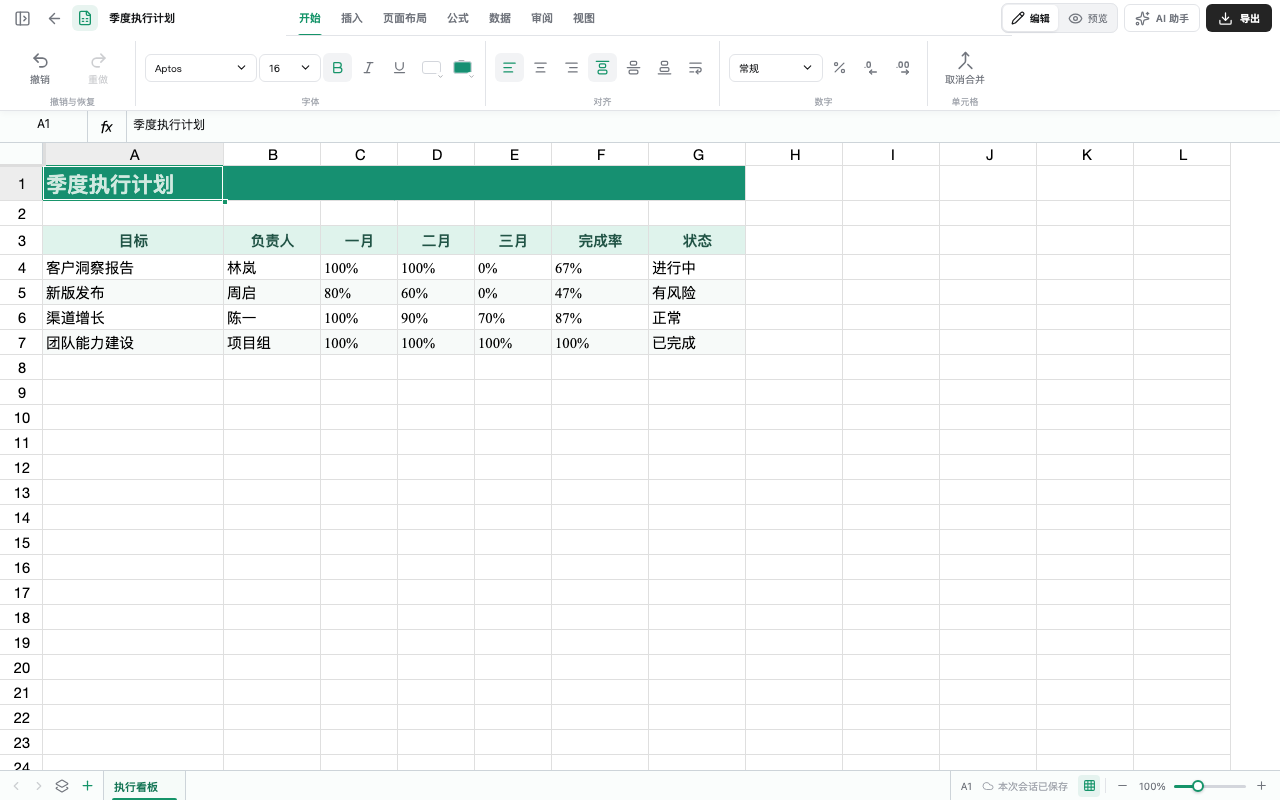
Slides, objects, animation timing, and presenter notes have separate views; text editing opens when needed.
View PresentationEditor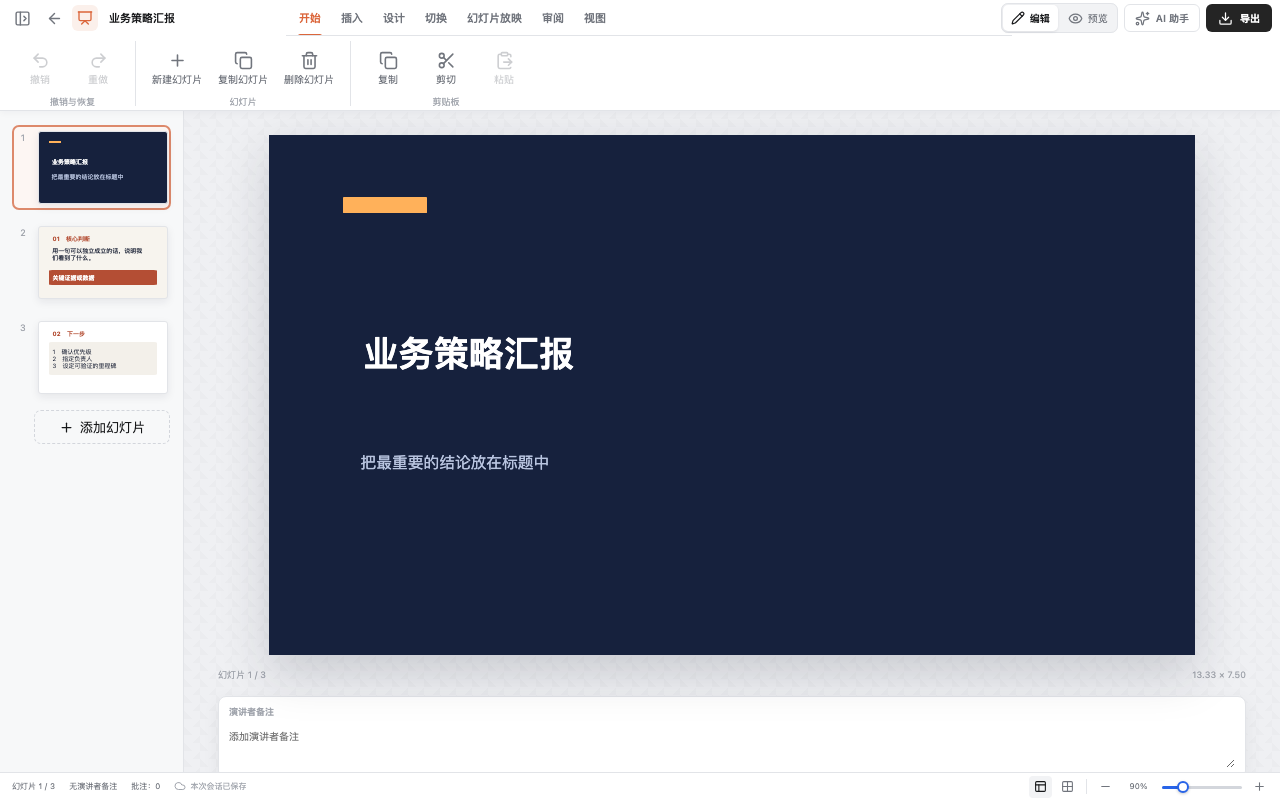
Thumbnails, annotations, and page operations share the reading workspace; page reordering runs in a Worker.
View PdfViewer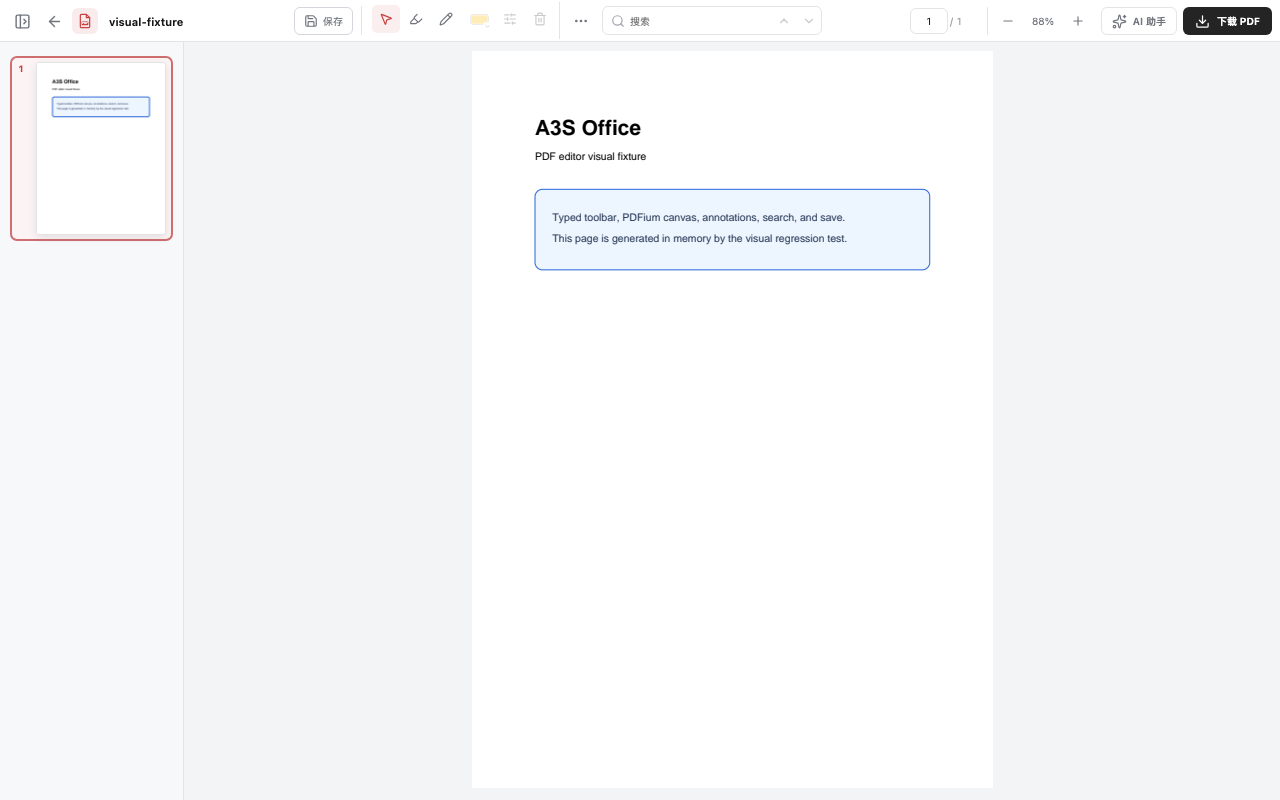
Render one editor, then connect your file data. Add collaboration when you need it.
Install the package and render the first editor in an existing page.
Connect file data, updates, import and export, and custom commands.
Let people and an agent edit the same file. Yjs and Yrs carry the changes.
Process Office files in batches with the CLI, MCP, A3S Code, or a Skill.
Person A, Person B, and A3S Agent open the same project brief. Text, comments, and review state appear on all three screens.
Documents, Markdown, spreadsheets, presentations, and PDFs each have a matching editor.
Start with one editor and add the others when you need them.